Complex Content?Let AI Visualize it All.
MyLens AI turns all your sources and data into dynamic visualizations. It helps you quickly find what matters most and communicate it with confidence.
What Makes MyLens Different?
Unlike static charts or diagrams, MyLens AI uses dynamic visualizations that adapt and respond to your exploration in real-time.
Interactive Exploration
Click, expand, or drill into any part of your visualization to uncover deeper insights. Every element is clickable and explorable.
Always Connected to Sources
Every insight in your visualization is traceable back to its original source. Trust your data with full transparency and verifiable citations.
AI-powered Intelligence
AI analyzes all your dense content and suggests you deeper insights and connections—helping you find things you'd miss by reading raw text.
See MyLens in action

How it works
Let MyLens AI turn your complex sources into dynamic visualizations.
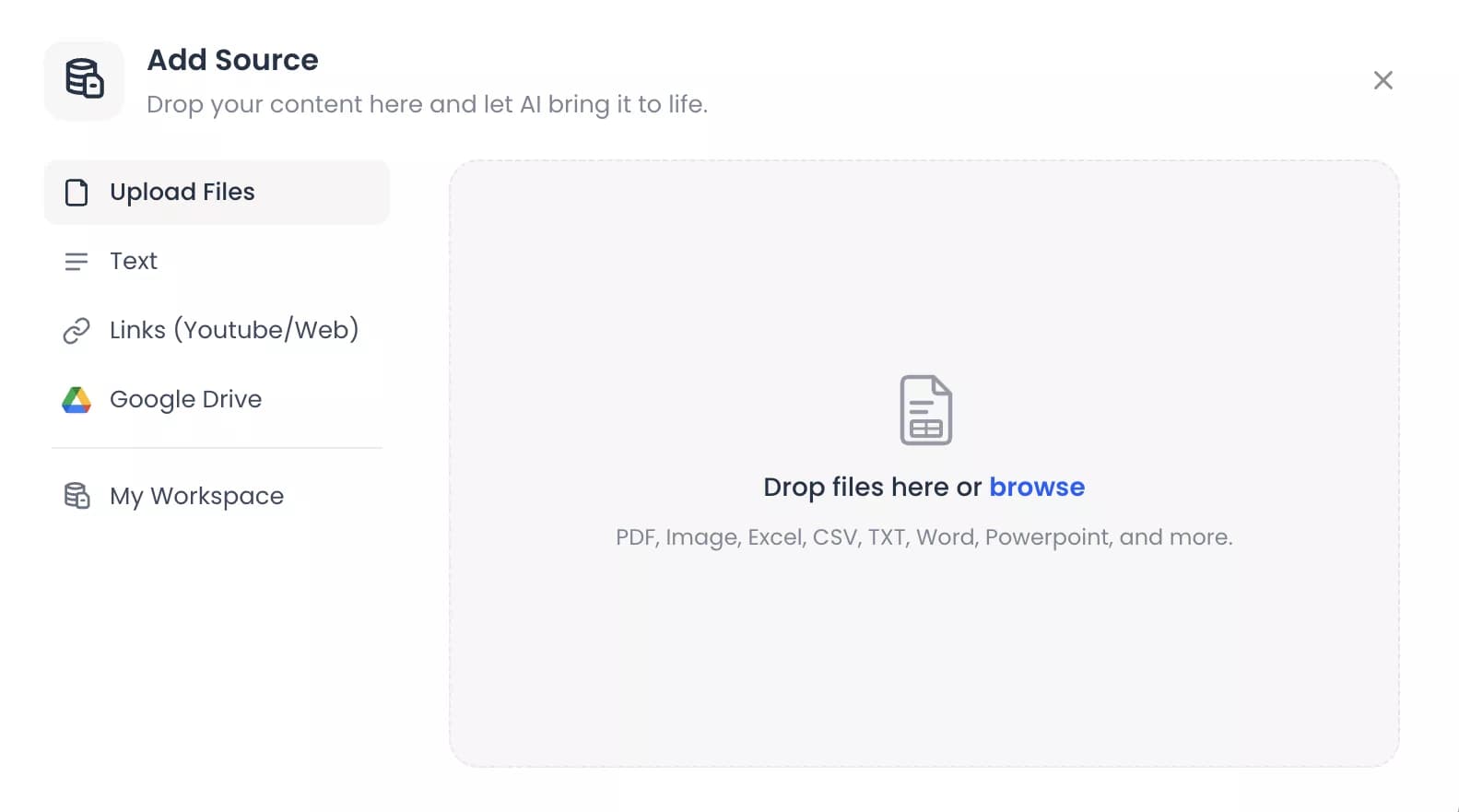
1. Bring All Your Complex Sources, Content, or Data
Add any kind of raw or unstructured content. This includes text, PDFs, slides, images, spreadsheets, webpages, or YouTube links. MyLens AI instantly understands, organizes, and turns them into the visuals that highlight the key insights.
2. Explore Deeper With the Magic of AI Interactions
MyLens visuals are fully interactive and AI-powered. With one click, you can expand or drill into any part you want to understand deeper. You can also ask AI to trace every insight back to your original source, so you can trust every conclusion.
3. Customize & Share
Effectively communicate your findings. Personalize your visuals. Refine content, colors, fonts, or layouts. Then download, share, or embed anywhere. MyLens makes your insights clear, beautiful, and effective for presenting your team or audience.
Bring All Your SourcesUnderstand What Matters Most with AI
No matter how complex your information is. MyLens turns every source into dynamic visualizations you can explore and act on with AI.
PDFs
Upload long documents, reports, research papers, or company decks. MyLens identifies key insights and builds interactive visuals.
Long Text
Paste any long text — from docs, meeting notes, Slack threads, or ChatGPT conversations. MyLens distills it into clear, structured visuals.
Word & PowerPoint
Drop in Microsoft Word or PowerPoint files to transform your notes, proposals, or strategies into clean, interactive visual summaries.
Webpages & Articles
Add any webpage link, Notion page, or lengthy article. MyLens breaks it down into a dynamic visual summary with key takeaways.
YouTube Videos
No time to watch? Paste a link and MyLens extracts main topics and structure — explore key moments without hitting play.
Images & Screenshots
Upload any image — from dashboard screenshots to whiteboard sketches. MyLens identifies key elements and organizes them visually.
Data & Spreadsheets
Import CSV or Excel files, and MyLens analyzes your data — surfacing patterns and insights through interactive charts and diagrams.
What people are saying about MyLens AI
“MyLens lets you turn text, webpages, or even YouTube videos into interactive visuals — like mind maps and timelines. It's quick to learn and points toward where AI is heading.”
“An AI tool I'm most excited about right now... It instantly turns your pasted text, PDFs, and spreadsheets into interactive visuals. It's really useful for visualizing dense information and untangling complicated concepts.”
“Just explored MyLens AI, and I'm genuinely impressed. It transforms complex data into clear, insightful visuals — timelines, mind maps, quadrants, and more — with remarkable ease.”
“For teachers who are constantly short on prep time… MyLens AI is a game-changer. Generate and customize visual resources in seconds.”
“From snapping a photo of a hand-drawn chart to a fully visual mind map in seconds — MyLens AI shows how generative AI enhances project visuals effortlessly.”
“For complex data and technical audiences, MyLens handles intricate visualizations that other tools can't. Worth exploring if you want to dig deeper into analysis.”
“MyLens lets you turn text, webpages, or even YouTube videos into interactive visuals — like mind maps and timelines. It's quick to learn and points toward where AI is heading.”
“An AI tool I'm most excited about right now... It instantly turns your pasted text, PDFs, and spreadsheets into interactive visuals. It's really useful for visualizing dense information and untangling complicated concepts.”
“Just explored MyLens AI, and I'm genuinely impressed. It transforms complex data into clear, insightful visuals — timelines, mind maps, quadrants, and more — with remarkable ease.”
“For teachers who are constantly short on prep time… MyLens AI is a game-changer. Generate and customize visual resources in seconds.”
“From snapping a photo of a hand-drawn chart to a fully visual mind map in seconds — MyLens AI shows how generative AI enhances project visuals effortlessly.”
“For complex data and technical audiences, MyLens handles intricate visualizations that other tools can't. Worth exploring if you want to dig deeper into analysis.”
We Respect Your Privacy
We never use your data to train our AI models
We never share your data with others
Your information always remains yours
Add MyLens to Your Browser
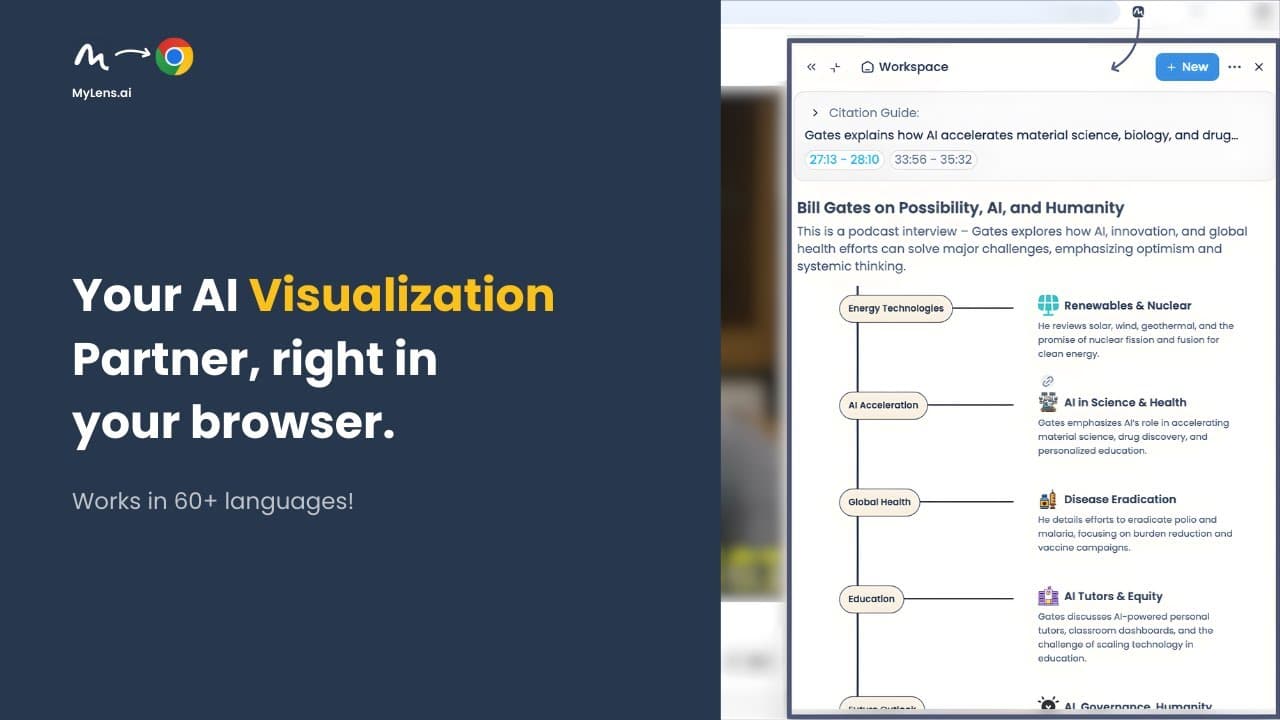
By adding the MyLens Chrome Extension, you can transform any webpage — dashboards, news, social media, private portals, or even YouTube — into dynamic visualizations in seconds.
Add to Chrome - It's free!Frequently Asked Questions
Understand Any Content & Data
with Dynamic Visualizations.Understand Any Content
with Dynamic Visualizations.
MyLens is your AI partner that transforms all your dense text, files, and data into interactive, explorable visualizations in seconds.MyLens is your AI partner that transforms all your dense text, files, and data into AI-powered visualizations.