


Study Guides & Exam Prep
Pack formulas, key terms, and essential concepts into a study guide cheat sheet built for quick review before exams.Free AI Cheatsheet Maker
Turn notes and PDFs into dense visual cheat sheets.
Unlimited themes help students and teachers print or share in their own style.
Loading composer
What to visualize?
.pdf.doc.ppt.txt
One Cheat Sheet.
Endless Design Possibilities.
Combine information from multiple sources and instantly generate beautiful design variations of the same AI cheat sheet—from mind maps to tables and flowcharts..webp&w=3840&q=75)
.webp&w=3840&q=75)
.webp&w=3840&q=75)
.webp&w=3840&q=75)
.webp&w=3840&q=75)
.webp&w=3840&q=75)
.webp&w=3840&q=75)
.webp&w=3840&q=75)
.webp&w=3840&q=75)
.webp&w=3840&q=75)
.webp&w=3840&q=75)
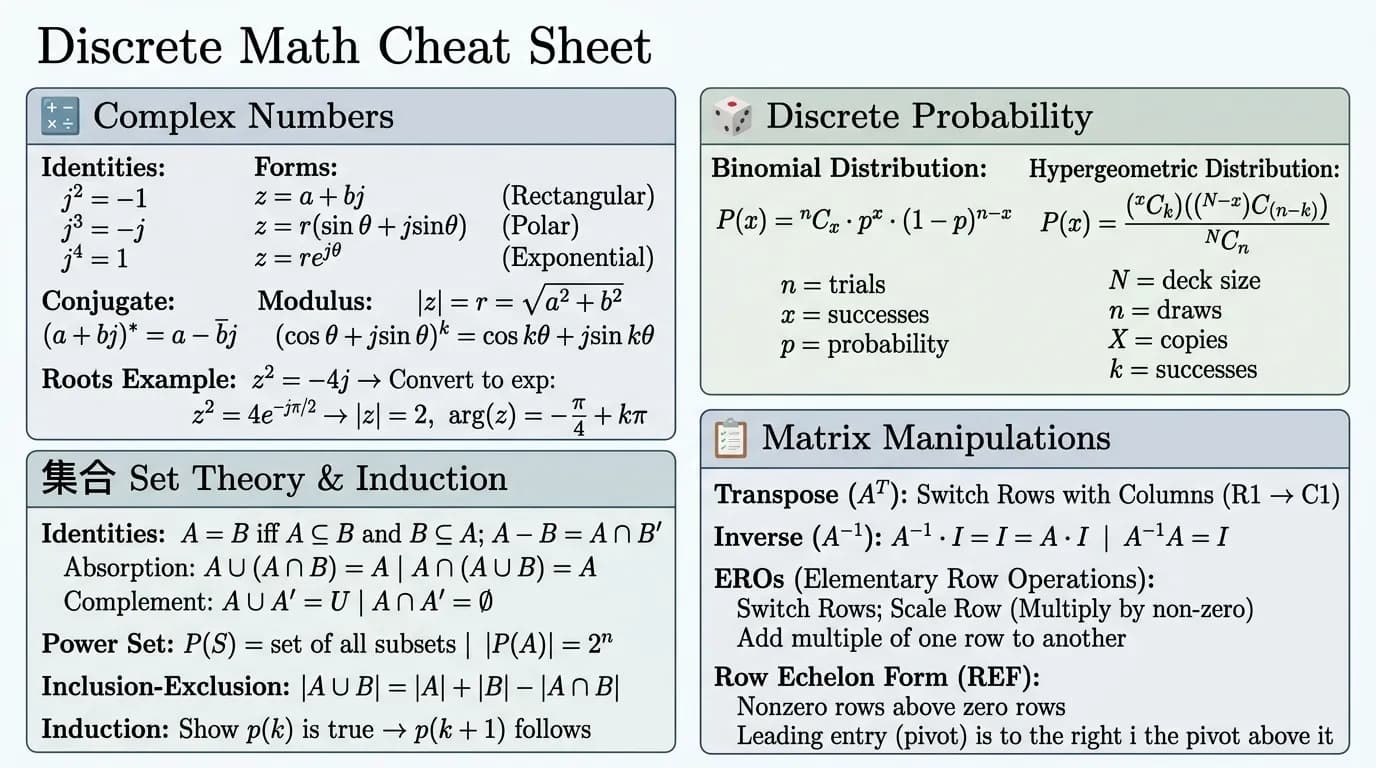
One AI cheat sheet
For every moment
Lesson Planning
Outline learning objectives, activities, and takeaways in a visual lesson plan cheat sheet for your next class.Homework Help
Build reference cheat sheets with step-by-step solutions, key concepts, and study tips for faster assignment completion.Vocabulary & Language Learning
Generate vocab cheat sheets with definitions, examples, and usage tips to make language learning stick.Loved by students
And teachers
“Visual cheat sheets help me retain so much more.”
“MyLens cheat sheets are visual, not just text. Formulas, definitions, and connections stick better when I see them laid out—not buried in plain notes.”
“Add infographics to every section.”
“I start with a cheatsheet, then add an infographic to each section. Remembering things visually is way easier than flipping through pages.”
“Citations from my textbook on every part.”
“I get a citation for each section from the textbook. Being able to trace everything back to the source really helped my understanding and essays.”
“We click through the visual together in class.”
“I build one interactive visual from the whole lesson. In class we click different parts to expand details—students stay engaged the whole time.”
“Makes lesson planning so much easier.”
“I turn textbooks and standards into clear cheat sheets and lesson plans. It's a game-changer for my classroom.”
“Best tool for study groups and tutoring.”
“We build shared cheat sheets for our study group. Everyone stays on the same page and review is way more efficient.”
Safe and secure
We never use your data to train our AI models, We never share your data with others, Your information always remains yours

Questions & Answers
An AI cheatsheet maker turns notes, PDFs, or topics into dense, poster-style cheat sheets. The AI extracts key information and organizes it into scannable study guides, formula sheets, or quick-reference formats on one page.
Paste notes, upload a PDF or textbook, or type a topic. MyLens generates a visual cheat sheet you can edit, customize, and export for studying or teaching.
MyLens builds cheat sheets from your actual content—not rigid templates. Each sheet uses a dense poster layout and stays interactive: expand sections, drill into details, add infographics, and refine with AI.
Yes. Upload PDFs, textbooks, notes, YouTube videos, or any document. MyLens converts them into visual cheat sheets with key concepts, formulas, and definitions.
Yes. Export cheat sheets as PNG, PDF, or PowerPoint (PPT) for printing, sharing, or presentations.
Yes. MyLens is a free AI cheatsheet maker—create cheat sheets from notes, PDFs, textbooks, or any topic.
Yes. Edit, expand, or refine any cheat sheet to match your study or teaching needs.
An AI cheat sheet is a dense, visual study reference built from your notes, PDFs, or topics. MyLens packs definitions, formulas, examples, and key facts on one scannable page—ready to study, share, or print.