



Board Decks & Meetings
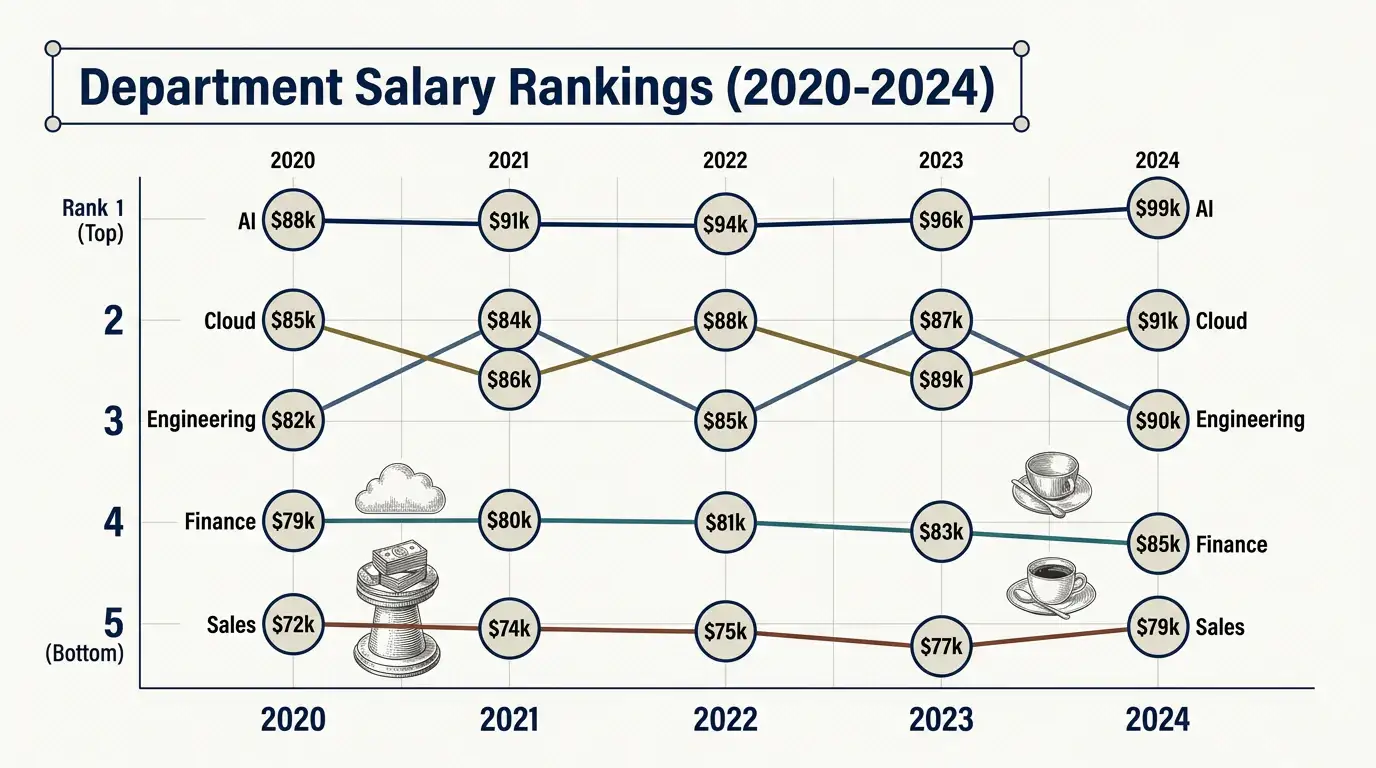
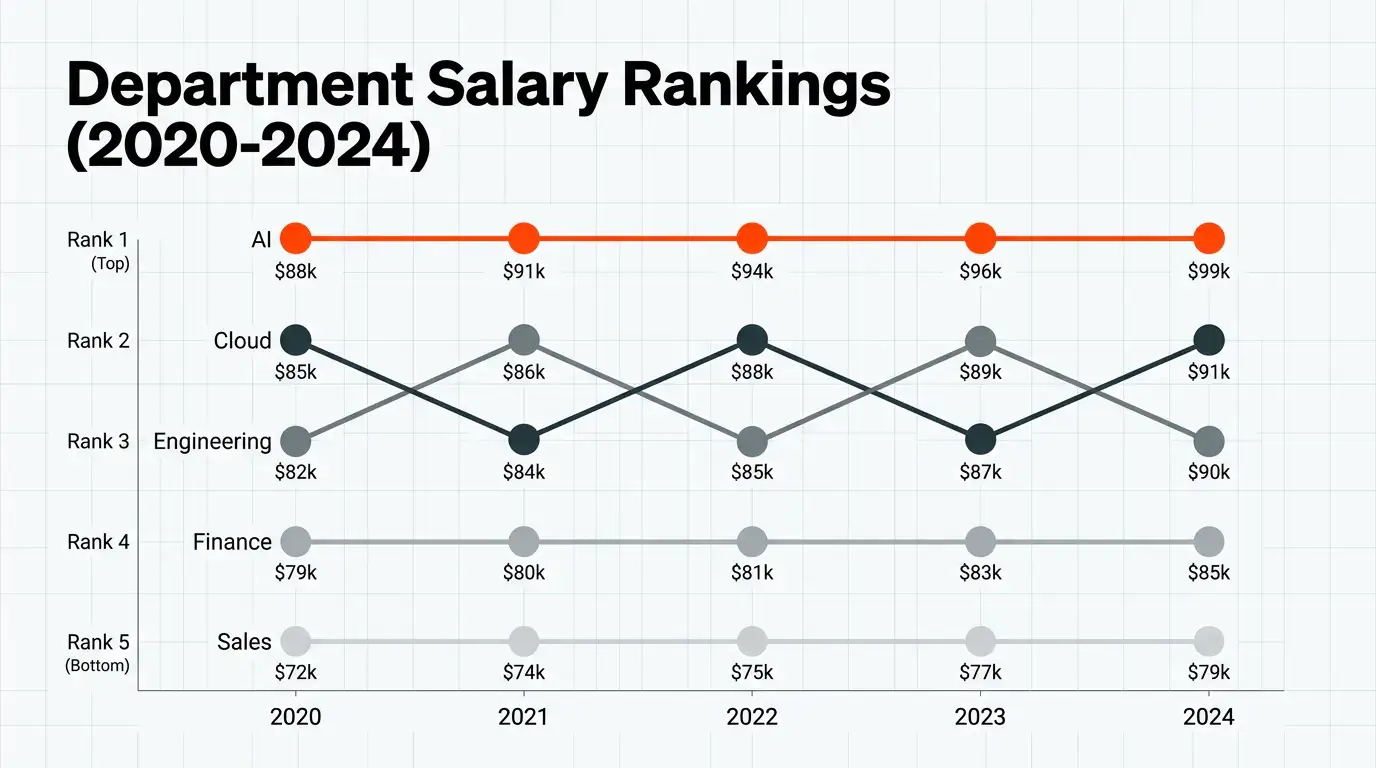
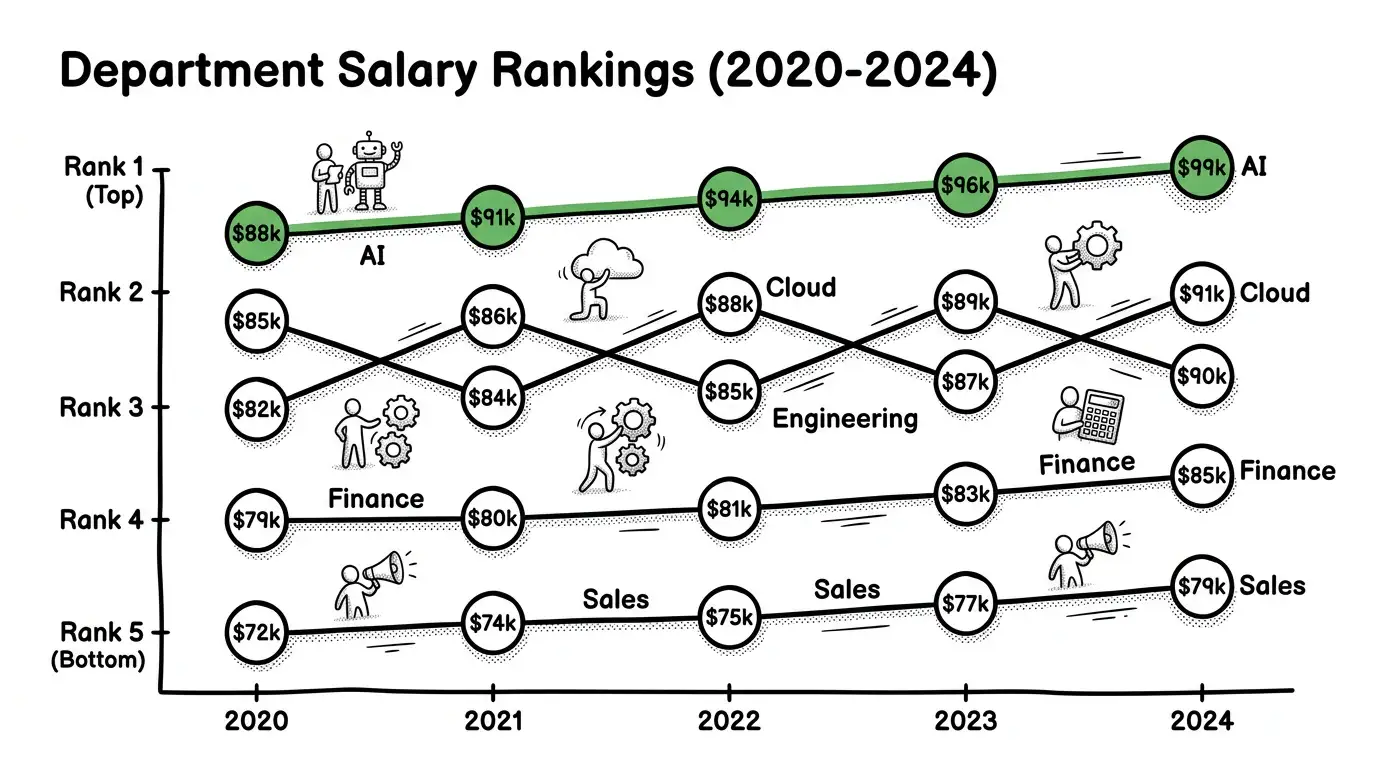
Show ranking drama without reading a spreadsheet aloud.Track Rankings with AI Bump Rank Lines
Paste ranks over time—MyLens builds a clickable Bump Rank Line.
Switch unlimited themes when ranking stories need a presentation-ready look.
Loading composer
What to visualize?
Same visual. Endless theme looks.
Switch colors, typography, and layout in one click—pick the style that fits your audience.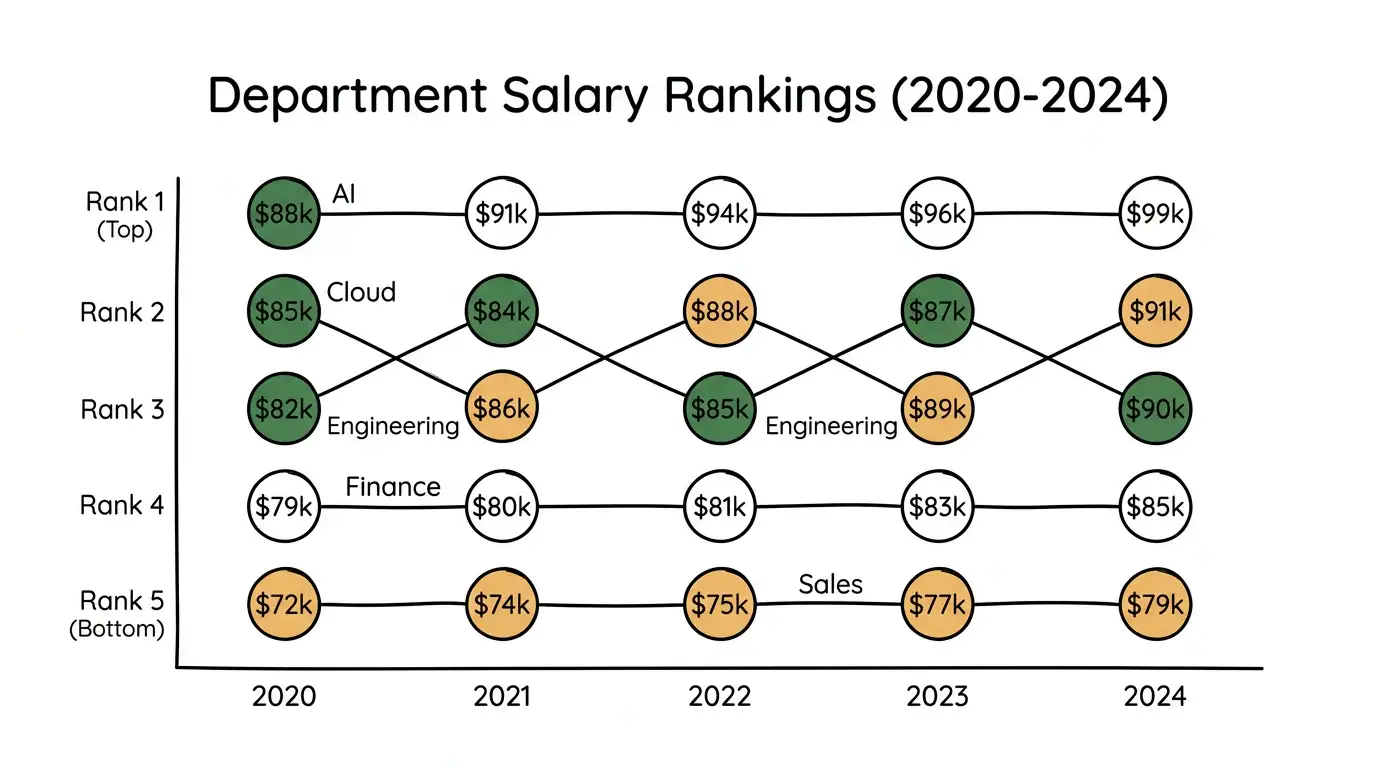
Hear Your Visual Come Alive
One click turns a silent diagram into a guided walkthrough—AI narrates the story while you keep exploring every clickable part.How It Works
Use Bump Rank Lines Anywhere
Reports & Briefs
Replace ordinal tables with paths readers can follow.Websites & Articles
Embed an interactive bump chart so readers explore each entity.Teaching & Workshops
Click a path live to explain how rank moved over time.Safe and secure
We never use your data to train our AI models, We never share your data with others, Your information always remains yours

Questions & Answers
An AI Bump Rank Line generator turns text or documents into an interactive Bump Rank Line following a dedicated gallery guide—so structure stays consistent and every part stays clickable.
Describe your content or upload a source in the magic box. MyLens locks to the Bump Rank Line visual, builds a Canvas diagram that follows the guide, and lets you edit and explore it interactively.
MyLens Bump Rank Lines are interactive, not static images. Click parts to explain, dig deeper, or check citations—and unlimited themes let you restyle for each audience.
Upload notes or paste entities with ranks per period. MyLens places nodes and keeps each path clickable.
Yes. Export from MyLens in formats such as PNG, PDF, and PowerPoint for reports and presentations.
Yes. MyLens lets you create Bump Rank Lines for free so you can try the full interactive experience before upgrading.
Yes. Explore more visuals from the Visuals hub, including Sankey Flow, Timeline, Mind Map, and more.