Time.Graphics vs MyLens AI: Timeline Tools Comparison
Compare Time.Graphics and MyLens AI to understand manual timeline creation versus AI-generated interactive timelines from your content.
Time.Graphics and MyLens both help you create and present timelines—but they take different approaches. Time.Graphics gives you a dedicated editor to build timelines event by event with full control over placement and styling. MyLens uses AI to generate clickable, interactive timelines from your existing documents, data, and web content.
If you’re choosing between them, it comes down to how you want to work. Want to place every event yourself with precise visual control? That’s Time.Graphics. Have a stack of content and want AI to extract the timeline for you? That’s MyLens. This guide breaks down what each platform does, how they differ, and when to use which.
TL;DR
Time.Graphics is a browser-based timeline editor—you create events, periods, and markers manually, style them, and export static timelines as images or documents. MyLens is an AI visual thinking platform—you bring in your documents, spreadsheets, videos, and URLs, and it generates clickable timelines (plus mind maps, flowcharts, and more) you can explore and present. Both produce timelines, but Time.Graphics is for building them by hand while MyLens is for generating them from your content with AI.
Try Yourself
Want to try Time.Graphics? Head over to time.graphics to start building timelines. Want to try MyLens? Give it a try right here for free — just type a topic or paste your content:
What Is Time.Graphics?
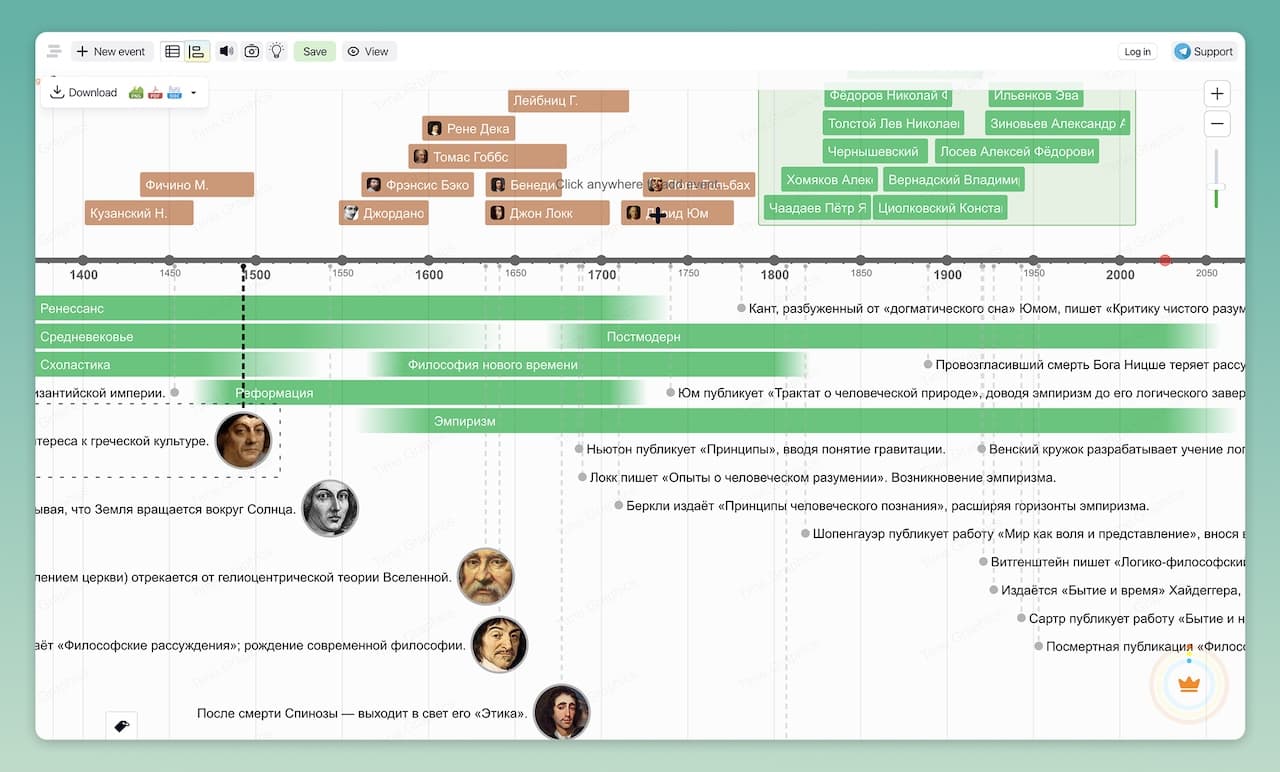
Time.Graphics is an online timeline maker that lets you create detailed timelines directly in your browser. You start with an empty timeline and add events, periods, and markers, each with descriptions, images, videos, links, and optional geolocation. Events can be grouped and tagged, you can change the background and styling, and you control the level of detail by zooming in and out. Timelines can be public, private (with paid plans), or accessible via a link, and you can embed or export them for sharing.
Time.Graphics is built around manual timeline construction. You decide which events belong on the timeline, in what order, and how they appear visually. This makes it a good fit when you already know the structure of the timeline you want to build—for example, course syllabi, project schedules, product roadmaps, or historical sequences—and need precise, presentation-ready control.
Key Time.Graphics Features
- Browser-based online timeline editor with zoomable time scale
- Manual creation of events, periods, and markers with full control over placement
- Rich event content: descriptions, photos, videos, links, files, maps, and geolocation
- Grouping, tags, and color coding to organize complex timelines
- Customizable backgrounds and covers for branded or thematic timelines
- Sharing controls: public timelines, private timelines, and access via link (depending on plan)
- Export options including images and documents for slides, reports, or printing
- Educational and corporate plans for classrooms and teams
The free plan of Time.Graphics is limited: exports are watermarked and private timelines are restricted to paid plans. Premium plans unlock private timelines, watermarks removal, duplication, and extended storage; check Time.Graphics for current details.
What Is MyLens?
MyLens is an AI visual thinking platform that transforms your existing sources and data into clickable, interactive visuals and diagrams. Instead of manually building a timeline or diagram from scratch, you upload or link your content, and MyLens generates visuals such as timelines, mind maps, flowcharts, quadrants, and tables. MyLens is built for complex, in-depth content—long mind maps, detailed flowcharts, multi-level timelines—not just simple summaries. You explore the visuals interactively—click nodes to expand, drill down, see citations, and ask AI to refine or extend what you see.
For timelines specifically, MyLens can extract dates, events, and milestones from documents, web pages, YouTube videos, and spreadsheets, then arrange them into clear, interactive timelines. You can switch between a timeline view and other formats (like mind maps or tables) for the same content, making it easier to understand both the sequence of events and the relationships between them.
Key MyLens Features for Timelines
- Automatic extraction of dates, events, and milestones from your content
- Support for many inputs: PDFs, documents, web pages, YouTube videos, images, spreadsheets, and text
- AI-generated timelines that you can adjust manually or refine with prompts
- Interactive exploration: click events to expand, get explanations, see citations, or ask follow-up questions
- Multiple visual views of the same content: switch between timeline, mind map, table, cards, and more
- Designed for complex, in-depth content—detailed timelines with many events, long mind maps, multi-level flowcharts—not just simple summaries
- Chrome extension to create timelines directly from web pages, videos, and online documents
- Presentation-ready visuals that you can share or export for reports, decks, or posts
- Multi-language support so you can generate and explore timelines in different languages
MyLens is designed for professionals, students, educators, and teams who work with a lot of content and want to understand it faster by seeing it visually. Timelines are one of the formats MyLens can generate, alongside mind maps, flowcharts, quadrants, trees, and tables.
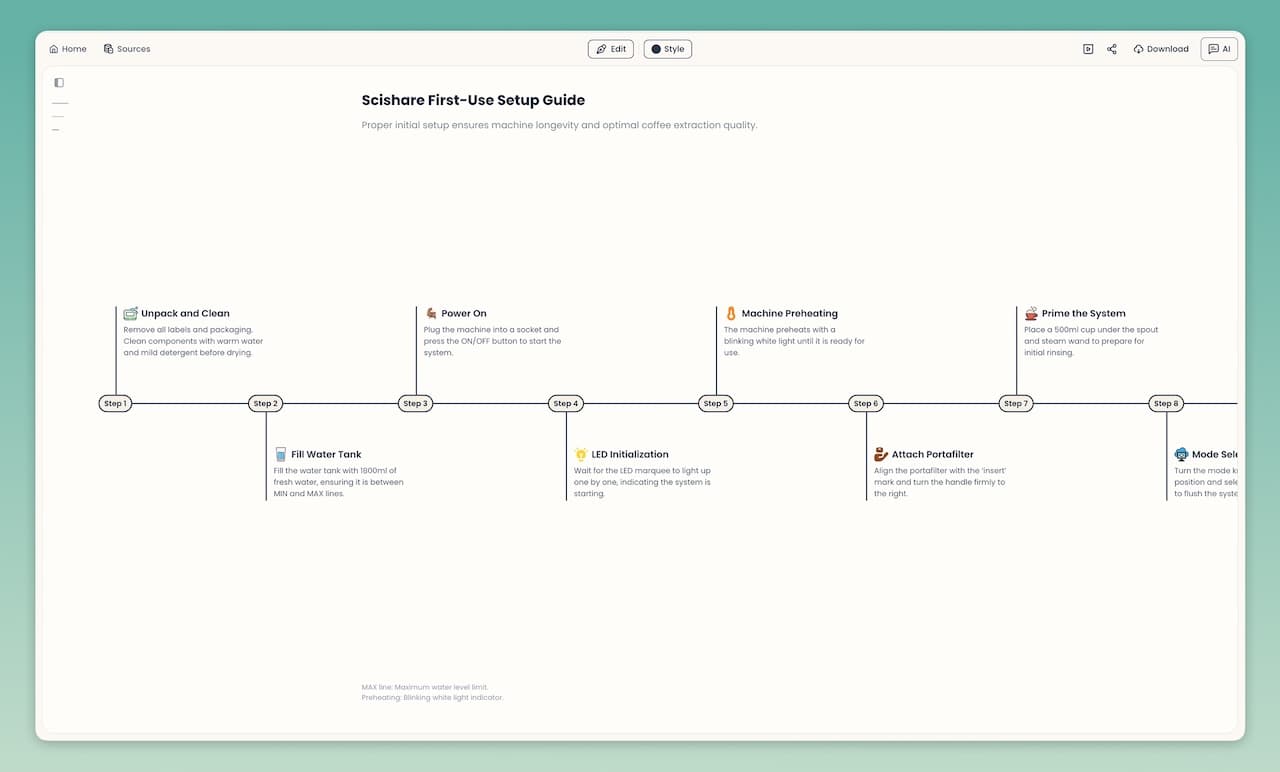
Feature Comparison: Time.Graphics vs MyLens AI
| Feature | Time.Graphics | MyLens |
|---|---|---|
| Primary Focus | Build timelines yourself with full control over every event and visual detail | Turn existing sources into clickable timelines and other visuals you can explore and present |
| How Timelines Are Created | You add events, periods, and markers by hand, configuring content and style for each | AI extracts key dates and events from documents, web pages, videos, and data, then generates a timeline you can refine |
| Input Types | Direct input of timeline events inside the editor; optional attachments like images, videos, and files | Documents (PDF, Word, PowerPoint), URLs, YouTube videos, images (including screenshots), CSV/Excel, and long text |
| Interactivity | Scroll, zoom, and click to view more details on static events | Click-to-explore visuals with AI explanations, drill-down, citations, and the ability to switch views |
| Visual Formats | Timelines only | Timelines plus mind maps, flowcharts, tables, quadrants, trees, and more, all generated from the same content |
| Exports & Sharing | Share via public or private links (depending on plan); export timelines as images or documents for slides and reports | Share interactive visuals from MyLens; export static visuals for decks and documents (formats may vary by plan) |
| Pricing Model | Free plan with limitations (watermarks, restricted private timelines) and paid subscriptions for more features | Free tier with limited AI actions and paid plans with higher limits and additional capabilities |
| Best For | You want a focused tool to build and present timelines by hand with precise control | You have sources to make sense of and need AI to extract timelines and insights visually |
When to Choose Time.Graphics
Choose Time.Graphics when your main goal is to design and present a specific timeline, and you are comfortable deciding exactly which events to include and how they should look. It excels when you already know the story you want to tell and need a tool that helps you lay it out clearly along a time axis.
- Creating course or curriculum timelines that follow a known schedule
- Building historical timelines for lectures, articles, or classroom materials
- Laying out project plans, release roadmaps, or marketing calendars with manual control
- Producing static timeline visuals for slides, posters, or reports
- Working in educational or organizational settings where Time.Graphics is already adopted
If your workflow is essentially "I know the events I want—now I need to place them on a timeline and style them for presentation," Time.Graphics is a strong fit.
When to Choose MyLens
Choose MyLens when you’d rather have AI build the timeline for you. If you have existing content—documents, data, web pages, or videos—and want to uncover the timeline inside it, MyLens generates clickable visuals you can explore, refine, and present without placing every event by hand.
- Turning reports, research, or case studies into timelines that highlight key milestones and decisions
- Analyzing long articles, books, or transcripts to see the sequence of events and how they relate
- Exploring complex projects where you want to move between timeline, mind map, and table views of the same information
- Using the Chrome extension to spin up timelines directly from web pages, videos, and online documents
- Preparing interactive, explorable visuals for presentations, workshops, or internal knowledge sharing
If your workflow is “I have sources and I need to see the timeline inside them, explore, and share the result,” MyLens is built for that.
Key Differences: Two Approaches to Creating Timelines
Both tools produce timelines. The difference is the approach:
Time.Graphics: Build Timelines Yourself with Full Control
With Time.Graphics, you build the timeline yourself. You add events and periods, configure how they look, and control every detail of placement and styling. The approach is hands-on: you decide what goes on the timeline and how it appears. This approach is ideal when you already know the story structure and need a clean, presentation-ready timeline with precise control.
MyLens: AI Generates Timelines from Your Content
With MyLens, AI builds the timeline for you. You bring in your files, links, or data, and the platform extracts dates, events, and milestones to generate interactive timelines—plus mind maps, tables, flowcharts, and more from the same content. The visuals are clickable: you expand events, drill down, get explanations, and view citations. MyLens is built for complex, in-depth content—detailed timelines with many events, multi-level flowcharts, long mind maps—that would take significant effort to plot manually. This approach is ideal when you want to understand what’s in your content and communicate the timeline visually without placing every event by hand.
Pricing & Accessibility
Time.Graphics offers a free plan with limited features (including watermarked exports and restrictions on private timelines), along with paid subscriptions for individuals, educators, and organizations. MyLens offers a free tier with limited AI actions and paid plans with higher limits and advanced capabilities. For up-to-date details on pricing, limits, and features, check Time.Graphics and MyLens directly.