Venngage vs MyLens AI: AI Visual Design & Thinking Comparison
Compare Venngage and MyLens AI to understand template-driven infographic design versus AI-generated interactive visuals from your content.
Venngage and MyLens both help you turn information into visuals with AI assistance—but they take different approaches. Venngage gives you a template-driven editor to design polished infographics, reports, and timelines with full control over branding and layout. MyLens uses AI to generate clickable, interactive visuals from your existing documents, data, and web content.
If you’re choosing between them, it comes down to how you want to work. Want to design branded visual assets from templates with precise layout control? That’s Venngage. Have a stack of content and want AI to turn it into a visual you can explore? That’s MyLens. This guide breaks down what each platform does, how they differ, and when to use which.
TL;DR
Venngage is a design-first platform for creating polished infographics, reports, timelines, and presentations—you start from thousands of templates, customize in a drag-and-drop editor, and apply your brand automatically. MyLens is an AI visual thinking platform—you bring in your documents, spreadsheets, videos, and URLs, and it generates clickable diagrams (timelines, mind maps, flowcharts, and more) you can explore and present. Both produce visuals from your information, but Venngage is for designing branded assets while MyLens is for generating explorable visuals from your content with AI.
Try Yourself
Want to try Venngage? Head over to venngage.com to start designing. Want to try MyLens? Give it a try right here for free — just type a topic or paste your content:
What Is Venngage?
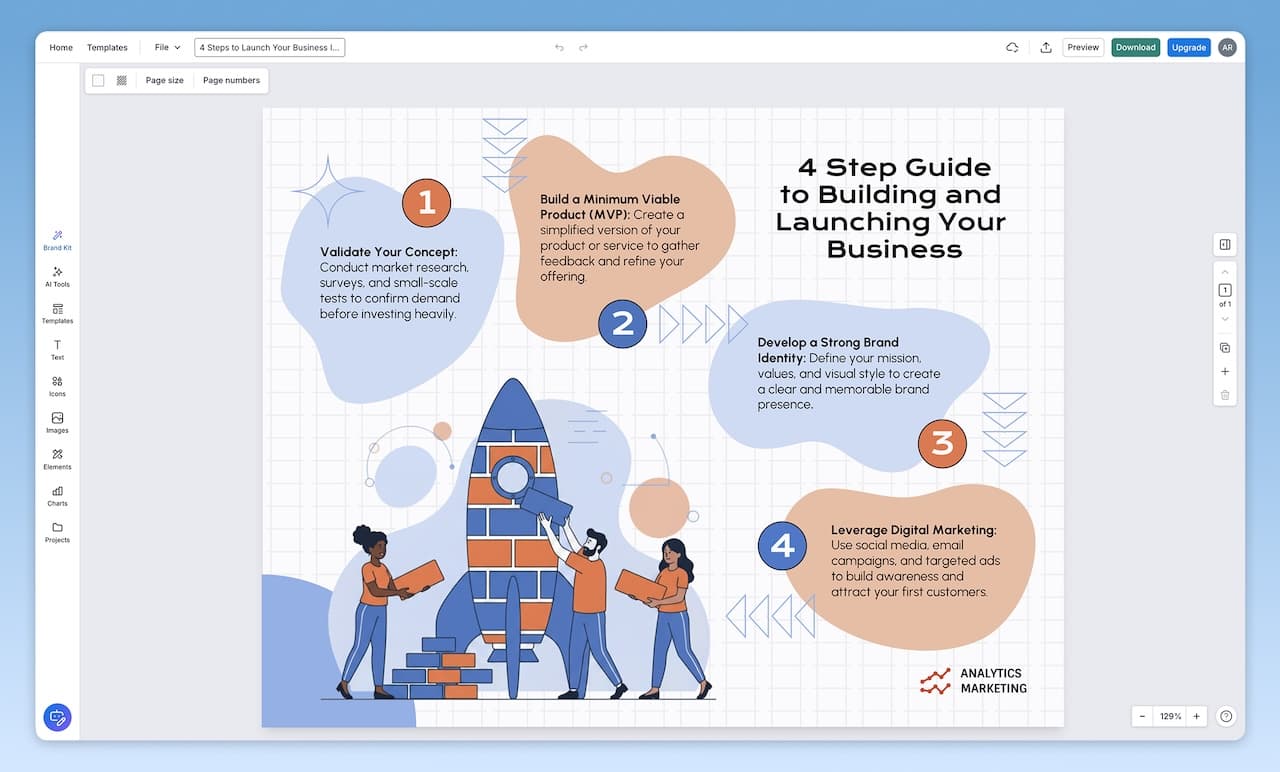
Venngage is an online design platform focused on business-ready visuals: infographics, reports, presentations, timelines, roadmaps, proposals, social media graphics, and more. You start from professionally designed templates, then customize them in a drag-and-drop editor. Venngage includes integrations with stock photo libraries (Pixabay, Pexels), icon libraries, and a large collection of templates tailored to marketing, business, HR, nonprofit, and education use cases.
Beyond templates, Venngage leans heavily on accessibility and branding. You can export in accessible PDF/UA formats, check color contrast, add alt text, and use accessible layouts that are designed to comply with ADA and WCAG guidelines. Brand tools like Autobrand and My Brand Kit let you upload your logos, colors, and fonts once, then automatically apply them across templates so every infographic or report matches your visual identity.
Venngage also provides a growing suite of AI tools: AI infographic generators, AI presentation generators, AI report generators, AI chart generators, and more. These tools help you go from a text description or data to an initial layout that you then refine manually. Collaboration features let teams co-edit designs, share templates internally, and manage work across individuals, small teams, enterprises, nonprofits, and classrooms.
Key Venngage Features
- Template-first design: Thousands of templates for infographics, reports, presentations, timelines, diagrams, marketing assets, HR materials, and more
- AI design tools: AI generators for infographics, brochures, presentations, charts, reports, timelines, and other visual formats
- Accessible design: Built-in accessibility checks, color contrast tools, alt text support, and accessible templates with PDF/UA export
- Branding automation: Upload logos, colors, and fonts; apply them automatically across templates with Autobrand and My Brand Kit
- Drag-and-drop editor: Simple editor for arranging text, shapes, charts, icons, images, and backgrounds without design experience
- Data visualizations: Import data from CSV or Excel and create charts, maps, and tables that fit into your templates
- Collaboration: Share templates with your team, invite collaborators to edit designs, and manage assets across organizations
- Export & sharing: Download as PNG, PDF, or PowerPoint, or share via online links depending on your plan
- Solutions for many roles: Plans and templates tailored to individuals, professionals, enterprises, nonprofits, and classrooms
Venngage offers a free tier with limited features and exports, with paid Premium, Business, Enterprise, nonprofit, and education plans that unlock more templates, collaboration options, and export formats. Check Venngage's website for the latest details.
What Is MyLens?
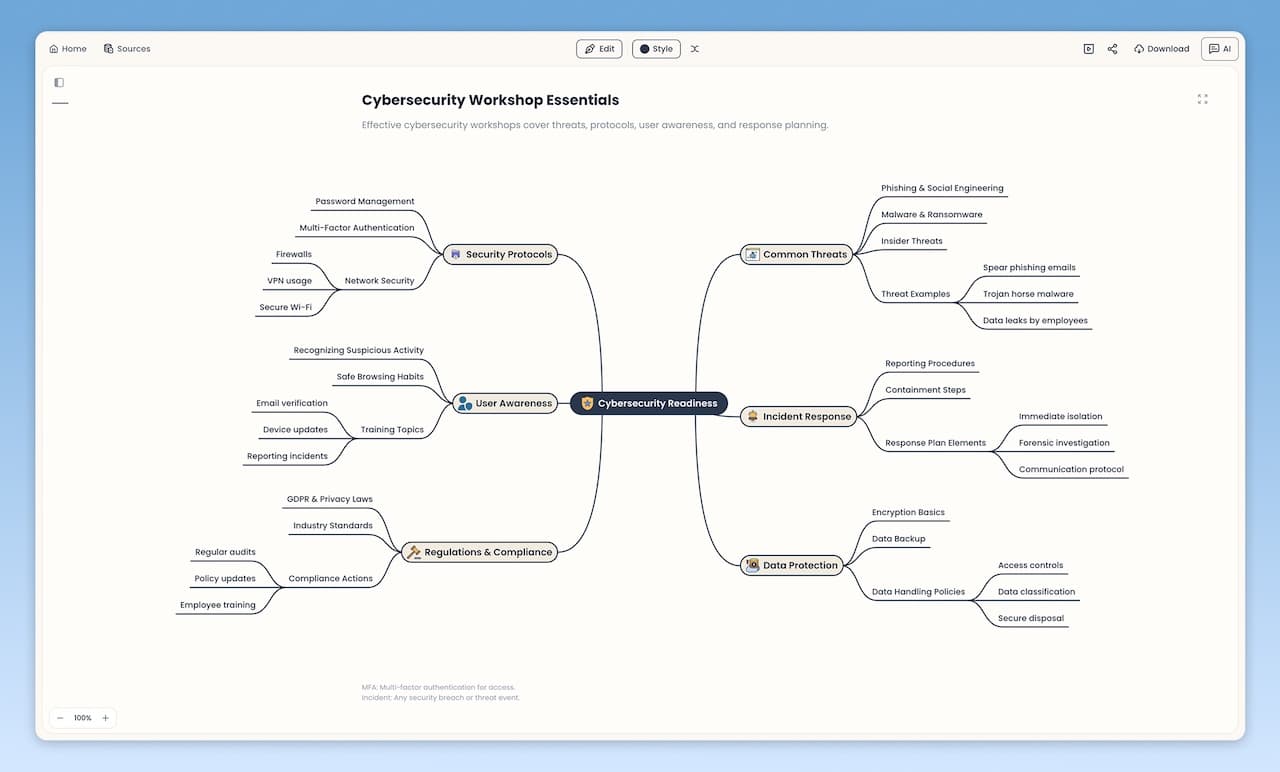
MyLens is an AI visual thinking platform that transforms your existing sources and data into clickable, interactive visuals and diagrams. Instead of reading through everything line by line, you see the structure visually and explore insights by interacting with the visual. The visuals are rich, interactive structures where you can ask AI to expand nodes, drill down into sections, get citations from sources, generate infographics of any parts, and even get visual explanations. MyLens is built for complex, in-depth content—long mind maps, detailed flowcharts, multi-level timelines—not just simple summaries. You explore interactively, adding more information to visual nodes until you fully grasp all insights. The result is a professional, beautiful visual you can share or present.
MyLens supports a wide range of inputs: PDFs, Word documents, PowerPoint files, URLs, YouTube videos, spreadsheets (CSV, Excel), images (including screenshots), and plain text. You can feed it meeting notes, reports, articles, or any content and ask for a timeline, mind map, quadrant, flowchart, table, or other visual format. The AI suggests the best visual type for your content and generates it automatically.
Key MyLens Features
- Interactive Visuals: Mind maps, timelines, flowcharts, quadrants, tables, trees, and more—designed for complex, in-depth content
- Click to explore: Expand nodes, drill down, get explanations, view citations
- Fully editable: Manually adjust content or ask AI to refine visuals as you explore
- Multi-format input: Documents, images, spreadsheets, web content, videos, and text
- Chrome extension: Turn webpages, dashboards, articles, and videos into visuals directly from your browser
- Multi-language support: Generate visuals in many languages for global teams and audiences
- Presentation-ready: Visuals that are engaging to present live or share asynchronously
- Citation support: View supporting evidence from your uploaded files so you can trust the output
MyLens is valuable for professionals analyzing business files, students turning study materials into visual summaries, educators creating lesson plans, and content creators organizing information for presentations.
Feature Comparison: Venngage vs MyLens AI
| Feature | Venngage | MyLens |
|---|---|---|
| Primary Focus | Design branded infographics, reports, and visual assets from templates | Turn existing sources into clickable visuals you can explore and present |
| How Visuals Are Created | Start from templates or AI generators, then refine manually in a drag-and-drop editor | AI analyzes your content and generates the best visual type (timeline, mind map, flowchart, table, etc.) |
| Input Types | Text, images, data in charts (CSV/Excel), and content you add into templates | Documents, URLs, videos, spreadsheets, images, and raw text |
| Interactivity | Static designs meant to be viewed, printed, or embedded (no click-to-expand semantics) | Clickable diagrams where you can expand nodes, drill down, get explanations, and view citations |
| Accessibility & Compliance | Accessibility-focused templates, PDF/UA export, contrast checkers, and alt text tools | Focus on traceability and exploration; accessibility depends on how visuals are used and embedded |
| Branding | Strong: Autobrand and My Brand Kit apply logos, fonts, and colors automatically | Visual styles can be customized per project; designed for clarity and exploration over strict brand systems |
| Collaboration | Team templates, shared libraries, co-editing, and plans for teams, enterprises, nonprofits, and classrooms | Share and collaborate around visuals; Chrome extension brings visuals into everyday browsing |
| Output & Export | PNG, PDF, PowerPoint, and shareable links depending on plan | Interactive visuals to share and present; export options focus on communicating insights |
| Best For | You want to design polished, branded visual assets for marketing, reports, and communication | You have sources to make sense of and need to communicate insights visually |
| Multi-language Support | Yes (content you create and templates) | Yes |
When to Choose Venngage
Choose Venngage when your main goal is to design static visual assets that look polished, follow your brand, and can be downloaded or shared as PDFs, images, or slides. Venngage is built for teams who care about accessibility and brand consistency across infographics, reports, timelines, and other documents.
- Marketing teams creating infographics, reports, and social graphics that must match brand guidelines
- Product and operations teams building timelines, roadmaps, and process visuals for internal communication
- Nonprofits and public-sector teams creating accessible reports and infographics that comply with ADA and WCAG
- Educators designing classroom-ready visuals, worksheets, and handouts from templates
- Organizations that want a template-driven design tool with AI assistance but full manual control over layout
If your workflow is closer to "I know the story I want to tell and I need to design a clear, branded visual to share it," Venngage is built for that.
When to Choose MyLens
Choose MyLens when you’d rather have AI do the visualizing for you. If you have existing content—documents, data, webpages, videos, or notes—and want to understand what’s inside and communicate it visually, MyLens generates clickable visuals you can explore, refine, and present without designing anything from scratch.
- Quickly turning long reports, research papers, meeting notes, or strategy docs into timelines, mind maps, and flowcharts
- Exploring complex datasets or dashboards to see relationships, clusters, and trends in a visual way
- Tracing every insight back to the original source using citations so you can trust and defend your conclusions
- Creating visual summaries of YouTube videos, articles, or knowledge bases without reading everything line by line
- Helping students, teams, or stakeholders understand dense material through interactive visual structures
If your workflow is “I have sources and I need to see what’s in them visually, explore, and share the result,” MyLens is built for that.
Key Differences: Two Approaches to Visual Communication
Both tools produce visuals from your information. The difference is the approach:
Venngage: Design Branded Visual Assets from Templates
With Venngage, you design the visual yourself. You pick a template, apply your brand, arrange content in a drag-and-drop editor, and export a polished asset. The approach is design-first: you have full control over layout, branding, and accessibility. AI generators help you get started faster, but the final result is a static visual you share, print, or embed. This approach is ideal when you need branded, publication-ready materials.
MyLens: AI Generates Visuals from Your Content
With MyLens, AI does the visualizing. You bring in your sources and data, and the platform generates interactive visual structures—mind maps, timelines, flowcharts, tables, and more. The visuals are clickable: you expand nodes, drill down, get explanations, and view citations. MyLens is built for complex, in-depth content—detailed flowcharts, multi-level timelines, long mind maps—that would take significant effort to design manually. This approach is ideal when you want to understand what’s in your content and communicate insights visually without starting from a blank template.
Pricing & Accessibility
Venngage offers a free tier and paid Premium, Business, Enterprise, nonprofit, and education plans with additional templates, collaboration tools, and export options. MyLens offers free ways to get started with interactive visuals, with paid plans for more capacity and features. For the latest details, check Venngage and MyLens directly.
Related Articles

Napkin AI vs MyLens AI: AI Tools for Creating Visuals
ComparisonsFebruary 19, 2026