Gamma vs MyLens AI: AI Visual Communication Tools Comparison
Compare Gamma and MyLens AI to understand AI-generated presentations from prompts versus interactive visual exploration of your existing content.
Gamma and MyLens are both AI-powered visual tools that help you communicate information—but they come in at different points of the process. Gamma helps you create polished presentations, documents, and websites from your ideas. MyLens helps you make sense of your existing sources and data by turning them into clickable, interactive visuals you can explore and share.
If you’re choosing between them, it comes down to where you are in your workflow. Already know what you want to say and need it packaged? That’s Gamma. Have a stack of documents, data, or videos and need to understand what’s in them first? That’s MyLens. This guide walks through what each platform does, how they differ, and when to use which.
TL;DR
Gamma takes your ideas and prompts and turns them into polished presentations, documents, and websites you can export and share. MyLens takes your existing sources—documents, spreadsheets, videos, URLs—and turns them into interactive diagrams (timelines, mind maps, flowcharts, and more) you can click to explore and present. Both are visual, both use AI, but Gamma is for creating new deliverables while MyLens is for understanding and communicating what’s already in your content.
Try Yourself
Want to try Gamma? Head over to gamma.app to start creating. Want to try MyLens? Give it a try right here for free — just type a topic or paste your content:
What Is Gamma?
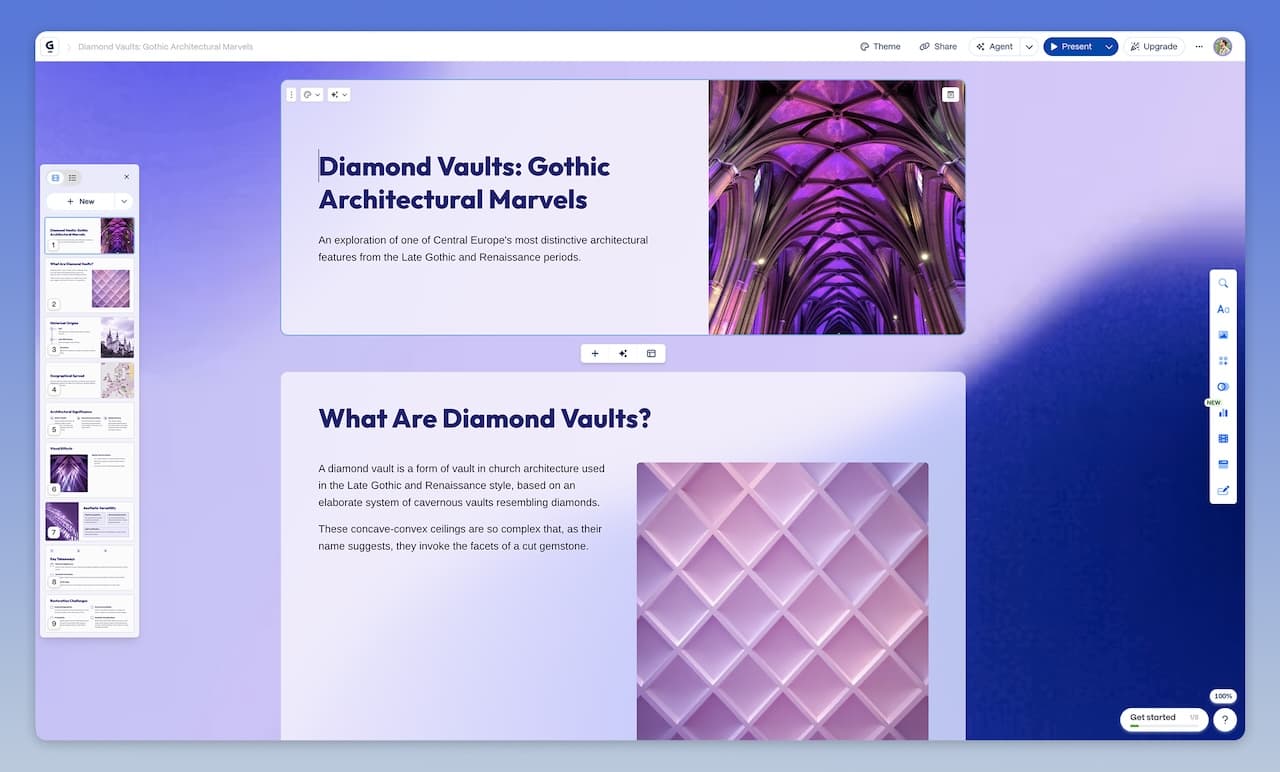
Gamma is an AI-powered platform that creates presentations, documents, websites, and social media content from simple prompts or outlines. You describe what you want—a pitch deck, a landing page, a one-pager—and Gamma uses AI to generate the text, layout, and design, often in under a minute. The result is a modern, card-based format that's easy to scroll and share, with options to export to PDF or PowerPoint and to collaborate in real time.
Gamma is at its best when you already know what you want to communicate and need a polished deliverable fast. It excels at turning rough ideas into finished presentations, landing pages, and documents. The platform offers solutions tailored to consultants, marketing teams, sales professionals, and educators, and supports interactive elements like polls, embeds, and charts. Gamma Agent provides conversational AI editing so you can refine and restyle content through natural language.
Key Gamma Features
- Presentations: AI-generated decks with consistent branding, export to PowerPoint
- Websites & landing pages: No-code creation from prompts
- Social media: Graphics and copy for social posts
- Documents & proposals: Interactive, web-native documents
- Card-based, scrollable format (alternative to traditional slides)
- Gamma Agent: Conversational AI for editing, research, and restyling
- Export: PDF and PowerPoint; share via web link
- Real-time collaboration and sharing
- Templates and smart layouts with automatic formatting
- Solutions for consultants, marketing, sales, and educators
Gamma offers a free tier with limited AI credits; paid plans unlock more capacity and features. Check Gamma's website for current pricing.
What Is MyLens?
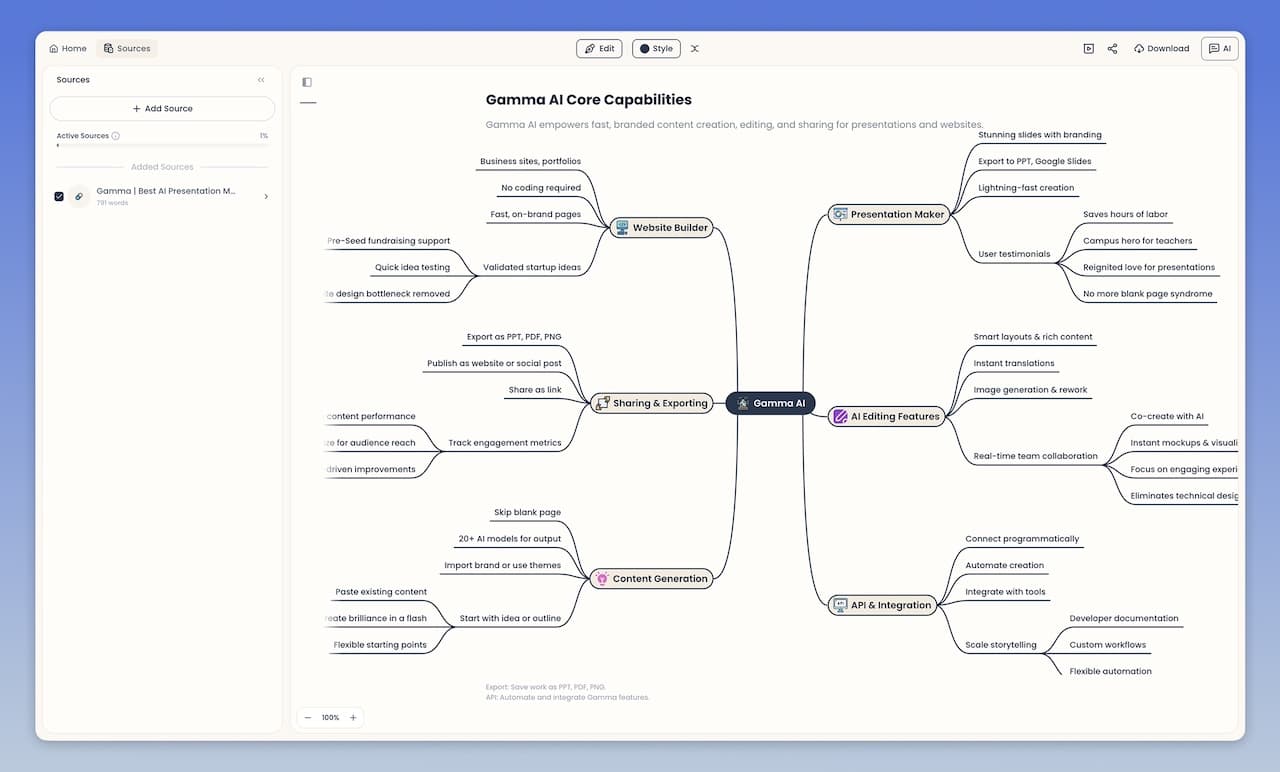
MyLens is an AI visual thinking platform that transforms your existing sources and data into interactive visuals and diagrams. Instead of reading through everything line by line, you see the structure visually and explore insights by interacting with the visual. The visuals are rich, interactive structures where you can ask AI to expand nodes, drill down into sections, get citations from sources, generate infographics of any parts, and even get visual explanations. You explore interactively, adding more information to visual nodes until you fully grasp all insights. MyLens is built for complex, in-depth content—long mind maps, detailed flowcharts, multi-level timelines—not just simple summaries. The result is a professional, beautiful visual you can share or present.
MyLens supports a wide range of inputs: PDFs, Word documents, PowerPoint files, URLs, YouTube videos, spreadsheets (CSV, Excel), images (including screenshots), and plain text. You can feed it meeting notes, reports, articles, or any content and ask for a timeline, mind map, quadrant, flowchart, table, or other visual format. The AI suggests the best visual type for your content and generates it automatically.
Key MyLens Features
- Interactive Visuals: Mind maps, timelines, flowcharts, quadrants, tables, trees, and more—designed for complex, in-depth content
- Click to Explore: Expand nodes, drill down, get explanations, view citations
- Fully Editable: Manually adjust content or ask AI to refine visuals
- Multi-format Input: Documents, images, spreadsheets, web content, videos, text
- Chrome Extension: Wherever you're on the web—YouTube, websites, docs—click MyLens to visualize content
- Multi-language Support: Generate visuals in any language
- Presentation-ready: Compelling visuals that are engaging to present or post
- Citation Support: View source evidence when files are uploaded
MyLens is valuable for professionals analyzing business files, students turning study materials into visual summaries, educators creating lesson plans, and content creators organizing information for presentations.
Feature Comparison: Gamma vs MyLens AI
| Feature | Gamma | MyLens |
|---|---|---|
| Primary Focus | Package ideas into polished presentations, documents, and websites | Turn existing sources into clickable visuals you can explore and present |
| Input | Prompts, outlines, and ideas | Documents, URLs, videos, spreadsheets, images, text |
| Output Format | Presentations, documents, websites, social graphics (polished deliverables) | Interactive diagrams: timelines, mind maps, flowcharts, tables, and more |
| Interactive Exploration | No (finished content to view and export) | Yes (click to expand, drill down, explain, view citations) |
| Export & Share | PDF, PowerPoint, web link; real-time collaboration | Share and present visuals; export and present |
| Chrome Extension | No | Yes |
| Visual Editing | Yes (edit and restyle via Gamma Agent or manual edits) | Yes (manual and AI-assisted refinement) |
| Best For | You know what to say and need it packaged into a polished deliverable | You have sources to make sense of and need to communicate insights visually |
| Multi-language Support | Yes | Yes |
When to Choose Gamma
Choose Gamma when you already know what you want to communicate and need it packaged into something polished. You give it a prompt or outline, and it turns that into a presentation, document, website, or social post in minutes. It’s the later stage of the workflow—you’ve done the thinking, now you need the deliverable.
- Building pitch decks, sales one-pagers, or client presentations from scratch
- Creating marketing landing pages or websites without coding
- Generating social media graphics and copy quickly
- Producing polished documents and proposals from an outline or brief
- Working in teams that need real-time collaboration on new content
- Using templates and AI to keep branding and formatting consistent across deliverables
If your workflow is “I know what I want to say—I just need it turned into a polished deck, page, or document,” Gamma is built for that.
When to Choose MyLens
Choose MyLens when you’re earlier in the process—you have documents, data, videos, or notes and need to make sense of what’s in them before you can communicate it. MyLens turns those scattered sources into clickable visuals you can explore, then present or share once you’ve found what matters.
- Quickly transforming scattered sources (docs, data, videos, etc.) into professional visuals that highlight key points and relationships
- Understanding complex information at a glance through visual structures like timelines, mind maps, flowcharts, and tables
- Exploring interactively by clicking nodes to expand, drill down, get explanations, view citations, or generate infographics
- Discovering insights you might have missed and adding more information to visual nodes as you explore deeper
- Editing and personalizing visuals to make them yours, then present or share with your team or audience in different formats
If your workflow is “I have a pile of content and need to figure out what’s important, then share it visually,” MyLens is built for that.
Key Differences: Different Stages of Visual Communication
Both tools help you communicate visually with AI. The difference is which stage of the workflow each one handles:
Gamma: Package Your Ideas into Polished Deliverables
Gamma picks up when you’ve already figured out what to say. You give it an idea or outline, and it produces a polished presentation, document, website, or social post. The output is a finished deliverable—ready to view, share, and export. That makes Gamma a strong fit for the packaging stage: you have the message, you just need it to look great.
MyLens: Understand Your Sources Through Interactive Visuals
MyLens comes in earlier—when you have sources and data but haven’t figured out the story yet. It turns your documents, spreadsheets, videos, and URLs into interactive visual structures—mind maps, timelines, flowcharts, tables, and more. You click to expand, drill down, get explanations, and view citations. You build understanding by exploring, then share or present what you’ve found. Unlike simpler visual tools, MyLens handles the kind of detailed, complex visualizations—long mind maps, multi-step flowcharts, in-depth timelines—that are designed for communicating rich, specific insights. MyLens is a strong fit for the sense-making stage: you have the content, you need to understand it and communicate it visually.
Pricing & Accessibility
Both Gamma and MyLens offer free options to get started. For more capacity and features, each platform has paid plans. Check Gamma and MyLens for current pricing and plans.
Related Articles

Napkin AI vs MyLens AI: AI Tools for Creating Visuals
ComparisonsFebruary 19, 2026
Lovable vs MyLens AI: AI Tools for Visual Communication
ComparisonsFebruary 27, 2026