MyMap AI vs MyLens AI: AI Tools for Creating Diagrams
Compare MyMap for chat-driven export-ready diagrams with MyLens for generating complex clickable visuals from your sources in seconds.
MyMap AI and MyLens AI both help you create diagrams with AI—but they take fundamentally different approaches. MyMap is chat-first: describe what you need or upload a file, and the AI generates a diagram you can export as PNG or PDF. MyLens is source-first: bring in your documents, spreadsheets, videos, and URLs, and it generates clickable, interactive visuals in seconds—purpose-built for the complex diagrams (multi-step flowcharts, long mind maps, citation-linked timelines) that would take significant time to build from scratch.
If you’re choosing between them, it comes down to your workflow. Need to chat with AI about a topic and get a clean, exportable diagram? That’s MyMap. Have existing content and want AI to turn it into complex, explorable visuals you can share and present? That’s MyLens. This guide breaks down what each platform does, how they differ, and when to use which.
TL;DR
MyMap AI is chat-first: you describe a topic or upload a file, and it generates a diagram you can export as PNG or PDF. MyLens is a native AI platform that automatically analyzes your sources, extracts insights, and generates complex clickable visuals—multi-step flowcharts, long mind maps, citation-linked timelines—all in seconds. If your diagrams are straightforward and export-ready, MyMap works well. If you need complex interactive visuals from your own content, MyLens handles the analysis, design, and styling for you—like having an AI data visualizer by your side.
Try Yourself
Want to try MyMap AI? Head over to mymap.ai to start creating. Want to try MyLens? Give it a try right here for free — just type a topic or paste your content:
Quick Comparison: MyMap AI vs MyLens AI
| Feature | MyMap AI | MyLens |
|---|---|---|
| Primary focus | Chat-to-diagram: create flowcharts, mind maps, matrices by talking to AI | Source-to-visual: turn documents and data into interactive diagrams you explore |
| Input | Chat, upload files (PDF, Word, Excel), paste URL, web search | Documents, URLs, spreadsheets, images, YouTube, text |
| Visual types | Flowcharts, mind maps, matrices, presentations | Mind maps, timelines, flowcharts, quadrants, tables, trees, and more |
| Interactivity | Edit and refine via chat; export when done | Click to expand, drill down, get explanations, view citations |
| Export & share | PNG, PDF, shareable link | Interactive share; download; embed |
| Collaboration | Real-time co-editing on the same map | Share and present visuals |
| Pricing | 5 free daily AI credits; paid plans for more | Free tier; paid plans for more |
What Is MyMap AI?
MyMap AI is an AI-native diagram tool that turns ideas into ready-to-use flowcharts, mind maps, matrices, and presentations by chatting with AI—no design skills needed. You type a topic, upload a file (PDF, Word, Excel), or paste a URL, and the AI uses that context to generate visuals. You can refine results with more prompts and then export or share.
MyMap is built for speed: chat to create, tweak with follow-up messages, then export as PNG or PDF or share a link. It supports web search (Google or Bing) so the AI can pull in up-to-date information when your query needs it. Creation and editing are desktop-focused; you work in a chat-style interface and get visual output you can present in a 2D map-based presentation mode similar to PowerPoint.
Key MyMap AI Features
- AI-native: chat with AI to create diagrams—no manual drawing
- Multiple formats: upload PDF, Word, Excel or enter topics; AI uses context to build visuals
- Web search: AI can use Google or Bing results to create context-rich diagrams
- Internet access: paste any URL; AI extracts relevant info for your maps
- Real-time collaboration: work with others on the same map at the same time
- Share & export: save as PNG or PDF, or share a public link
- Presentation mode: present ideas in a 2D map-based format
- Free tier: 5 free daily AI credits; paid plans for more capacity
MyMap offers a free tier with 5 daily AI credits and paid plans for heavier use. Sign up and pricing details are on the MyMap website.
What Is MyLens?
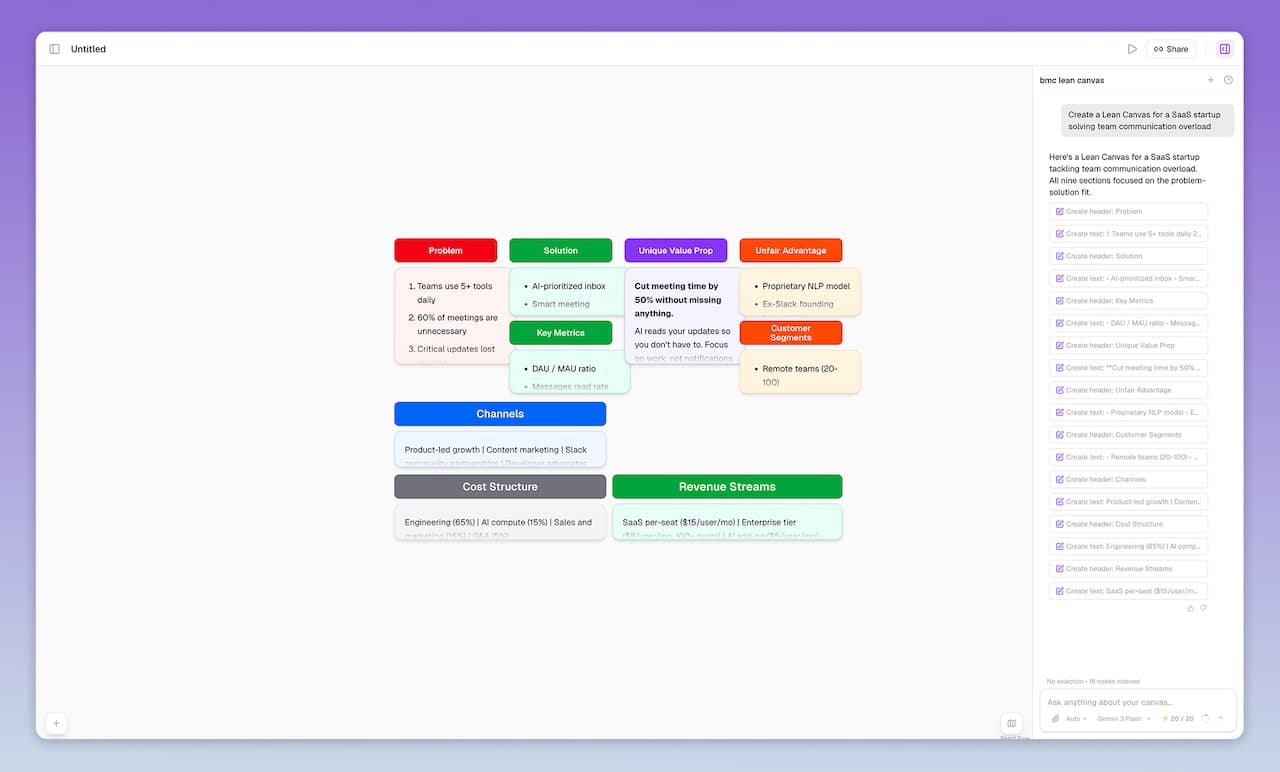
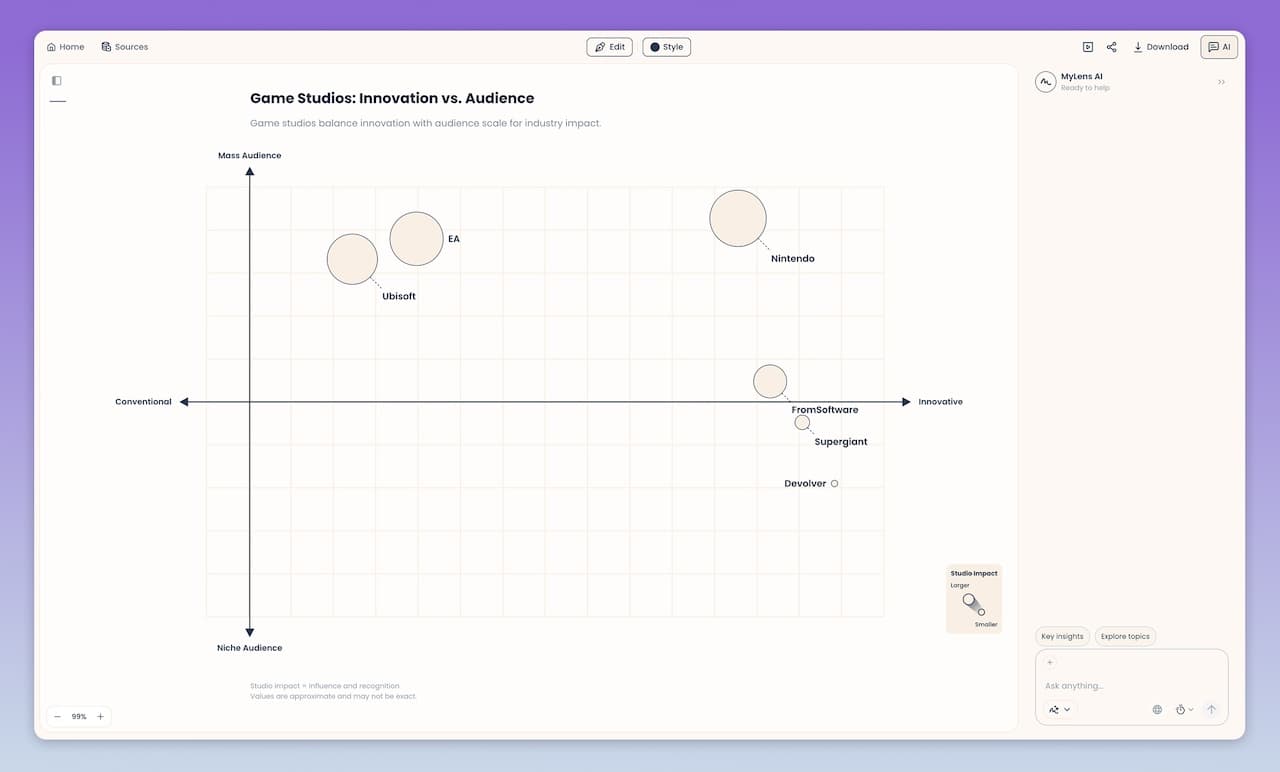
MyLens is a native AI visual thinking platform that turns your sources and data into clickable, interactive visuals and diagrams. AI handles the heavy lifting automatically—analyzing your content, extracting key insights, choosing the right visual format, generating the diagram, and applying professional styling—so you go from raw content to a polished visual in seconds. You can expand nodes, drill down into sections, get explanations, view citations when you’ve uploaded sources, and generate infographics from any part of the visual. MyLens is built for complex, in-depth content—long mind maps, detailed flowcharts, multi-level timelines—not just simple summaries. You can also chat with the AI to refine anything—change the layout, add detail, restyle a section—and it updates your visual live, like having an AI data visualizer by your side. The result is a living diagram you can refine and then share or present.
MyLens supports a wide range of inputs: PDFs, Word, PowerPoint, URLs, YouTube videos, spreadsheets (CSV, Excel), images (including screenshots), and plain text. You feed it content and ask for a timeline, mind map, quadrant, flowchart, table, or other format; the AI suggests the best visual type and generates it. Every visual is fully editable—by hand or by asking AI to refine it—and you can use the Chrome extension—wherever you’re on the web (YouTube, websites, docs), click MyLens to visualize content.
Key MyLens Features
- Interactive Visuals: Mind maps, timelines, flowcharts, quadrants, tables, trees, and more—designed for complex, in-depth content
- Chat to refine: Ask AI to change layouts, add detail, restyle sections, or restructure your visual—it updates live, like having an AI data visualizer by your side
- Click to explore: Expand nodes, drill down, get explanations, view citations
- Fully editable: Adjust content manually or ask AI to refine visuals
- Multi-format input: documents, images, spreadsheets, web, video, text
- Chrome extension: Wherever you’re on the web—YouTube, websites, docs—click MyLens to visualize content
- Multi-language: generate visuals in any language
- Presentation-ready: share and present visuals easily
- Citation support: view source evidence when files are uploaded
MyLens is built for professionals analyzing business files, students turning study materials into visual summaries, educators creating lesson plans, and content creators organizing information for presentations. Explore all visual types MyLens supports on the solutions page.
See MyLens solutions and supported visual types.
Feature-by-Feature Comparison: MyMap AI vs MyLens AI
| Feature | MyMap AI | MyLens |
|---|---|---|
| Primary focus | Chat-to-diagram; create from conversation and context | Source-to-visual; create from uploaded content and data |
| Input types | Chat, upload (PDF, Word, Excel), URL, web search | PDF, Word, PPT, URLs, YouTube, spreadsheets, images, text |
| Visual types | Flowcharts, mind maps, matrices, presentations | Mind maps, timelines, flowcharts, quadrants, tables, trees, and more |
| Interactivity | Edit via chat; export static deliverables | AI Chat; expand, drill down, explain, infographic, view citations |
| Export | PNG, PDF, shareable link | Interactive share; download; embed |
| Citations | Diagrams generated from chat context | Click any node to view source citations from uploaded files |
| Browser extension | Web app with URL import | Chrome extension for visualizing any webpage |
| Collaboration | Real-time co-editing | Share and present |
| Multi-language | Supported | Any language |
When to Choose MyMap AI
Choose MyMap AI when you need a diagram fast and your main goal is a polished export or presentation. It fits:
- Quick brainstorming: Chat with the AI about a topic or upload a file, and get a mind map or flowchart in seconds
- Presentations and social: Generate visuals you can export as PNG or PDF and drop straight into decks, posts, or docs
- Export-first workflow: You want a finished diagram to take into other tools, not an explorable structure
- Real-time collaboration: Multiple people can work on the same map at the same time
If your workflow is "chat or upload, get a diagram, export and share," MyMap is a strong fit.
When to Choose MyLens
Choose MyLens when you have scattered sources—documents, notes, reports, URLs, or other content—and need to turn them into interactive visuals you can explore, refine, and present. It excels at generating timelines, mind maps, flowcharts, tables, and more that you can click into, expand, and cite. MyLens makes it easy to present or share these engaging visuals with your team or audience.
- Transforming diverse sources (PDFs, Word, slides, URLs, spreadsheets, images) into one visual you can explore
- Understanding complex information at a glance through interactive visual structures
- Exploring interactively by clicking nodes to expand, drill down, get explanations, view citations, or generate infographics
- Discovering insights you might have missed and adding more information to visual nodes as you explore deeper
- Editing and personalizing visuals to make them yours, then present or share with your team or audience in different formats
If your workflow involves multiple sources that need to become structured, explorable, and presentable visuals—MyLens is built for that.
Key Differences: Chat-First vs Interactive Exploration
The fundamental difference between MyMap AI and MyLens lies in what happens after the visual is created:
MyMap AI: Chat and Export
MyMap AI is built for speed. You chat with the AI or upload a file, get a diagram, refine it with more prompts, and export as PNG or PDF. The result is a static deliverable you take into presentations or docs. It’s ideal when you need a clean visual quickly and don’t need to explore the underlying sources inside the diagram.
MyLens: Interactive Visual Structures
MyLens turns your content into living diagrams you can explore. As a native AI platform, it handles everything automatically—analysis, insight extraction, visual generation, and styling—so you go from documents to a polished diagram in seconds. Visuals are clickable: expand any part, drill down, get explanations, or view citations. Where MyLens stands out is complexity and speed—long mind maps, multi-step flowcharts, in-depth timelines with dozens of events—the kind of detailed visuals that would take significant time to build manually. And when you want changes, you just chat with the AI and it updates your visual live, like having an AI data visualizer by your side.
Pricing & Accessibility
Both MyMap AI and MyLens offer free tiers to get started. MyMap gives 5 free daily AI credits; MyLens offers a free plan to try. For higher usage and advanced features, both have paid options. Check MyMap AI and MyLens for current pricing and plans.